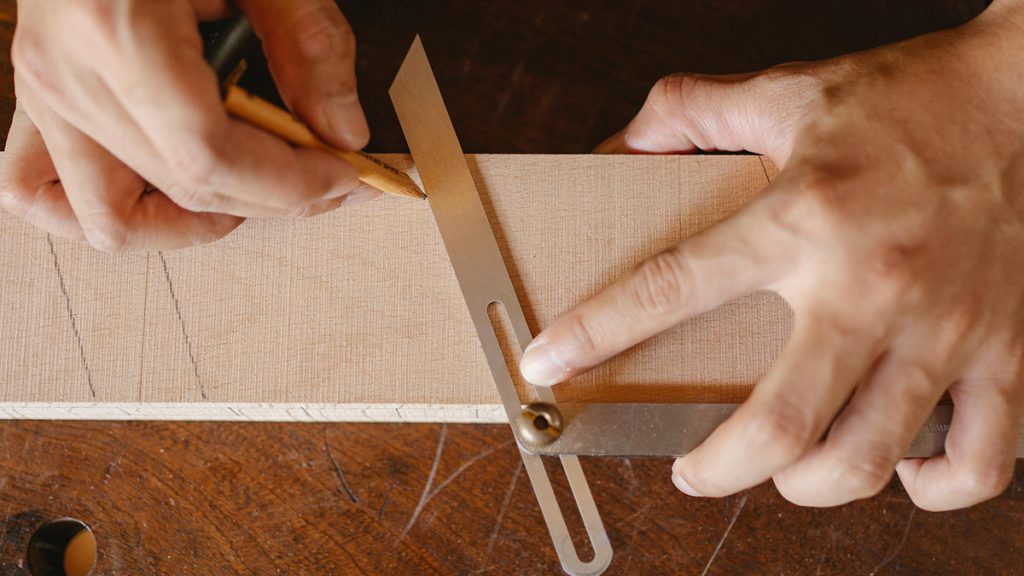
When it comes to woodworking joinery—like cutting flawless 45-degree miter joints for picture frames, crisp bevels for shadow boxes, or tight-fitting compound angles for custom cabinetry—even a tiny fraction of a degree off-square will ruin your project. If your table saw blade is sitting at 44.6 degrees instead of a true 45.0 degrees, the cumulative error across a four-sided frame will leave a massive, ugly gap that wood glue and sawdust simply cannot hide.
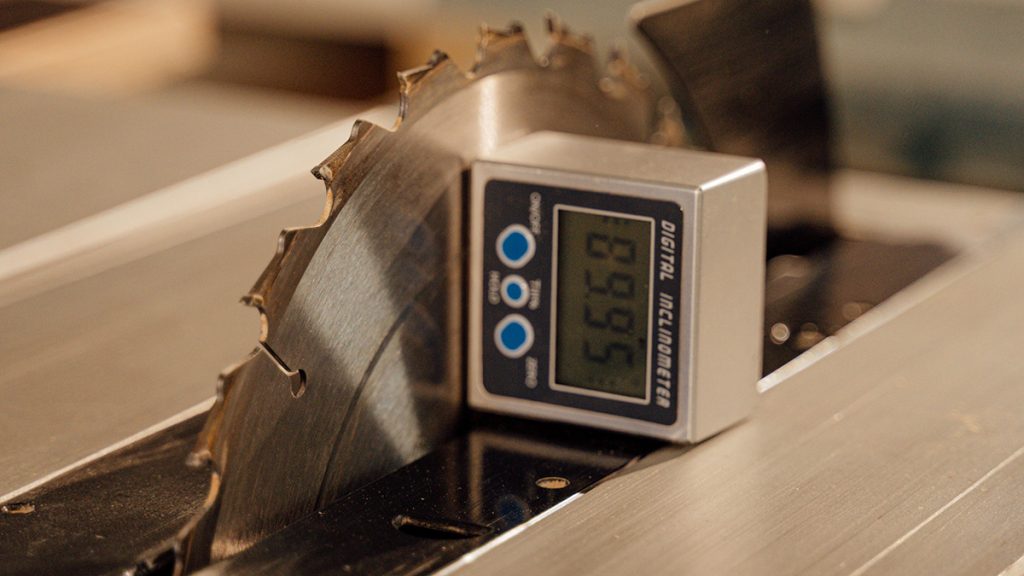
The built-in analog angle pointers and stamped metal scales on most table saws are notoriously inaccurate and hard to read. To achieve absolute precision down to a tenth of a degree, professional woodworkers and serious DIYers rely on a digital protractor (often called a digital angle gauge or bevel box). Equipped with a magnetic base and an electronic sensor, these compact smart tools lock onto your saw blade to ensure perfectly square 90-degree cuts and dead-accurate bevel angles.
Here is a review of the best digital angle gauges for table saw blade alignment, along with the correct measurement sequence to calibrate your shop machinery.
The Top Digital Angle Gauges for Woodworking Machinery
Because a workshop environment is constantly filled with fine sawdust and vibration, table saw alignment tools need high-contrast displays, heavy-duty magnetic footprints, and excellent repeatability.
1. Wixey WR300 Type 2 Digital Angle Gauge
Wixey is the brand that originally pioneered digital readout systems for home workshops, and the WR300 remains an absolute staple on table saw cast-iron tops.
-
Resolution: 0.1 Degrees
-
Accuracy: ± 0.2 Degrees
-
The Highlights: Features a highly compact, square design with heavy-duty magnets built directly into the bottom surface. It handles calibration beautifully by allowing you to zero out the gauge on your saw’s cast-iron table before snapping it onto the blade. The Type 2 upgrade offers improved sensor repeatability and utilizes standard AAA batteries instead of easily depleted coin cells.
-
Best For: Woodworkers looking for a reliable, time-tested industry standard that is simple to operate.
2. Klein Tools 935DAG Digital Electronic Level and Angle Gauge
If you want an incredibly rugged, highly visible smart tool engineered by an elite professional tool manufacturer, Klein Tools delivers a premium option.
-
Resolution: 0.1 Degrees
-
Accuracy: ± 0.1 Degrees from 0° to 1°, ± 0.2° at all other angles
-
The Highlights: The standout feature of the 935DAG is its high-contrast, reverse-contrast LCD screen. This bright display makes it incredibly easy to read your blade angle when leaning over under dark workshop lights or working inside a tight saw shroud. It includes V-grooves on all four edges to align securely with circular saw blades or pipe conduit.
-
Best For: Craftspeople who demand maximum durability, quick response times, and a crystal-clear, glowing display.
3. AccuMASTER 2-in-1 Digital Angle Gauge by Calculated Industries
An exceptionally stable, multi-functional layout tool that combines an electronic level and a relative angle gauge into a single compact housing.
-
Resolution: 0.05 Degrees (Ultra-Fine)
-
Accuracy: ± 0.2 Degrees
-
The Highlights: The AccuMASTER stands out by displaying measurements down to a highly sensitive 0.05-degree resolution. It features an IP54 dust and water-resistant rating, meaning fine hardwood sawdust won’t slip inside to clog the electronic sensors. It also includes an automatic display inversion feature that flips the text right-side-up if you have to measure an angle upside down.
-
Best For: Detail-oriented woodworkers, cabinet builders, and hobbyists who want ultra-fine decimal feedback during machinery tuning.
Direct Comparison Matrix
| Model | Resolution | Display Type | Dust/Water Rating | Battery Type | Best For |
| Wixey WR300 Type 2 | 0.1° | Standard LCD | Standard | AAA Batteries | Proven shop reliability & value |
| Klein Tools 935DAG | 0.1° | Reverse-Contrast Glowing | IP42 Protected | AAA Batteries | Dark workshops & maximum visibility |
| AccuMASTER 2-in-1 | 0.05° | High-Visibility Backlit | IP54 Certified | AAA Batteries | Ultra-fine precision & dust resistance |
Step-by-Step Sequence: How to Calibrate Your Saw Blade
Simply snapping a digital gauge onto a saw blade will often give you an incorrect reading. Why? Because your entire table saw cabinet might be sitting on a slightly sloped garage floor. Follow this specific physical calibration sequence to eliminate “absolute floor slope” from your calculations:
3 Rules for Keeping Your Digital Protractor Accurate
-
Watch the Carbide Overhang: As emphasized in the calibration sequence, circular saw blades have teeth that are thicker than the main steel body plate (known as the tooth kerf). If your magnetic gauge bridges across a tooth even slightly, it will introduce a massive 0.5 to 1.0-degree error into your layout. Always position the gauge body cleanly between the arbor hole and the bottom of the gullets.
-
Check the Calibration Constantly: Digital bevel boxes utilize internal micro-electromechanical sensors (MEMS) that can drift slightly if the tool is dropped into a tool drawer or exposed to rapid temperature swings (like a freezing winter garage warming up with a space heater). Take 10 seconds to re-zero the tool before every critical cut session.
-
Clear the Magnetic Face: The strong neodymium magnets on the bottom of these gauges are absolute magnets for fine metal grinding dust, steel filings, and magnetic shop debris. A single tiny metal shaving trapped under the base will lift one corner of the tool, throwing off your alignment readings completely. Wipe the bottom face clean with your thumb before every mount.
Amazon Disclaimer:
As an Amazon Associate, I earn from qualifying purchases. This means that if you click on certain links within this post and make a purchase, I may receive a small commission at no additional cost to you. This helps support the site and allows us to continue creating high-quality DIY content.