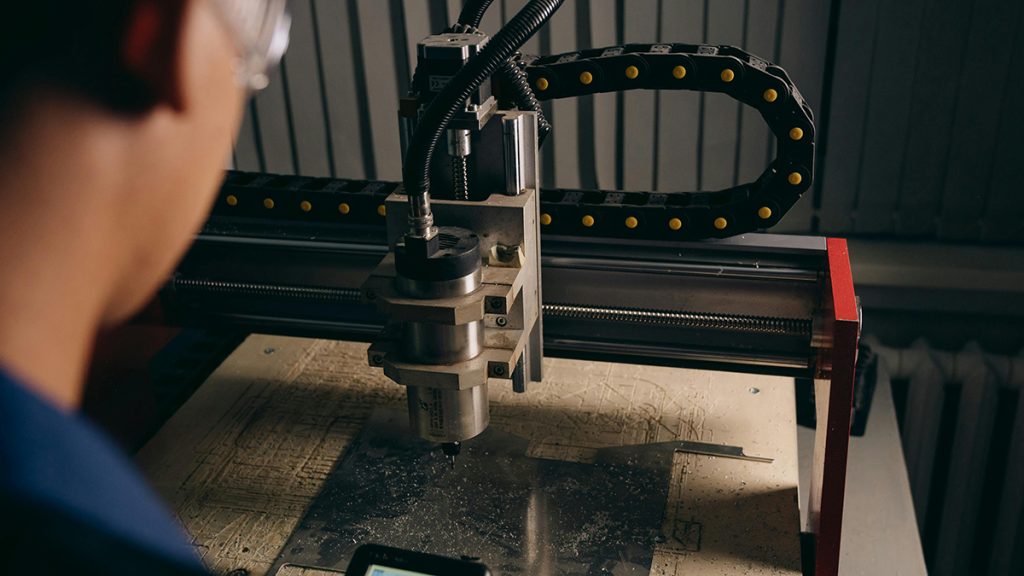
The future of the home workshop is digital. While hand tools provide the soul of woodworking, a Desktop CNC (Computer Numerical Control) machine provides the precision. You no longer need to be a computer scientist to operate one; modern software has made “carving” as easy as printing a document.
Whether you want to start a small Etsy business making custom signs or you want to add intricate details to your furniture projects, a desktop CNC is the ultimate upgrade. Here are the top 5 entry-level CNC machines on Amazon that offer the best balance of ease-of-use and power.
Desktop CNC Comparison Table
| Model | Work Area | Spindle Power | Best For |
| Genmitsu 3018-PRO | $300 \times 180$ mm | 75W / 120W | Learning / Engraving |
| SainSmart Genmitsu 4040-PRO | $400 \times 400$ mm | 75W (Upgradable) | Signs / Small Projects |
| FoxAlien Masuter Pro | $400 \times 400$ mm | 60W (300W Opt) | Detailed Carving |
| BobsCNC Quantum | $400 \times 400$ mm | Makita Router | Large Production |
| Snapmaker 2.0 (3-in-1) | Various | Modular | 3D Printing / Laser |
1. The Ultimate Teacher: Genmitsu 3018-PRO
The 3018-PRO is the most popular entry-level CNC in the world. It is an affordable “kit” that teaches you the fundamentals of how a CNC operates while providing solid results on soft materials.
Why it’s perfect for beginners:
It is small enough to fit on a standard desk. While it isn’t designed for heavy production, it excels at engraving nameplates, small decorative boxes, and PCB boards. The open-source GRBL software it uses is the industry standard for hobbyists.
-
Pros: Extremely affordable, huge online community for support, simple assembly.
-
Cons: Not powerful enough for fast deep cuts in Hard Maple or Oak.
2. The Professional Upgrade: SainSmart Genmitsu 4040-PRO
If you’ve outgrown the basics and want to build larger items like custom serving trays, the 4040-PRO offers a significant jump in stability and size.
Why it’s essential:
It features all-metal construction and high-precision lead screws that reduce “chatter” during a cut. The larger work area allows you to handle most common DIY woodworking projects. It is also compatible with a DeWalt or Makita trim router upgrade for serious cutting power.
-
Pros: Rigid frame for better accuracy, large work area, easy to upgrade.
-
Cons: Takes up more bench space; assembly takes 1–2 hours.
3. Best for Deep Carving: FoxAlien Masuter Pro
FoxAlien has focused on making a “bridge” machine that feels more like an industrial tool. The Masuter Pro uses a powerful 32-bit controller for smoother movements.
Why it’s perfect for woodworkers:
It is exceptionally good at 3D carving—creating textured patterns or reliefs in wood. The Z-axis (the vertical movement) is very robust, allowing for deeper passes without losing accuracy. It includes a z-probe which makes setting your bit’s height automatic.
-
Pros: Very stable Z-axis, includes emergency stop button, pre-assembled parts.
-
Cons: The cooling fans can be a bit loud during long carves.
4. The Powerhouse: BobsCNC Quantum
BobsCNC takes a different approach, using a frame made of high-quality Baltic Birch plywood. Don’t let the wood frame fool you—it’s incredibly rigid and designed to hold a full-sized router.
Why it’s essential:
Because it uses a standard Makita router as its spindle, it has significantly more torque than the smaller motors. This means you can cut through thick hardwood slabs much faster. It’s the best choice for someone who wants to move into professional production.
-
Pros: High torque, large capacity, made in the USA.
-
Cons: The wood frame requires a climate-controlled shop to prevent warping.
5. The All-in-One: Snapmaker 2.0
For the “maker” who wants it all, the Snapmaker is a modular machine that can switch from a CNC carver to a 3D printer or a Laser Engraver in minutes.
Why it’s perfect for woodworkers:
If you want to laser-etch a logo onto your wood project and then CNC a custom inlay, this machine does it all. The software is very user-friendly and handles the transition between laser and CNC modes seamlessly.
-
Pros: 3-in-1 versatility, premium build quality, very safe enclosed design.
-
Cons: Most expensive entry-level option; smaller work area for CNC tasks.
3 Rules for CNC Success
-
Workholding is Everything: A CNC is only as accurate as its grip on the wood. Use double-sided woodworking tape or heavy-duty T-track clamps to ensure the board doesn’t vibrate or shift during the cut.
-
Feeds and Speeds: Every wood type requires a different speed. If you move too fast, the bit will snap; if you move too slow, the wood will burn. Start with the manufacturer’s “conservative” settings and adjust as you gain experience.
-
Dust Management: CNC machines create a constant stream of “chips.” Always use a dust boot connected to a shop vac. This doesn’t just keep your shop clean—it keeps the bits cool and prevents the electronics from overheating.
Final Verdict
-
For learning the basics on a budget, start with the Genmitsu 3018-PRO.
-
For making signs and larger DIY projects, go with the SainSmart 4040-PRO.
-
For maximum power and production capacity, the BobsCNC Quantum is the winner.
Read too: Best Router Table Lifts for Easy Height Adjustment
Disclaimer: As an Amazon Associate, I earn from qualifying purchases. Drink clean, hike on!